
List of Access Bug Fixes in 2026

Updated: Sep 25

Since 2022, Microsoft's Access team has been publishing a list of Access fixes on its blog every few months. To make this information more visible and searchable, we are collecting the full list for 2026 here and link to the Microsoft posts where you can find more description. Previous lists: 2025 (40 items), 2024 (43 items), 2023 (88 items), 2022 (54 items)
Version 2609
Label captions could be truncated after using Size To Fit
VBA could return the wrong form's Zoom value
The Edit List Items button appeared in the wrong location
Captions could become misaligned on very wide forms*
A combo-box selection in a new sub-datasheet record could be discarded
The active editor in a sub-datasheet did not move when zoom changed
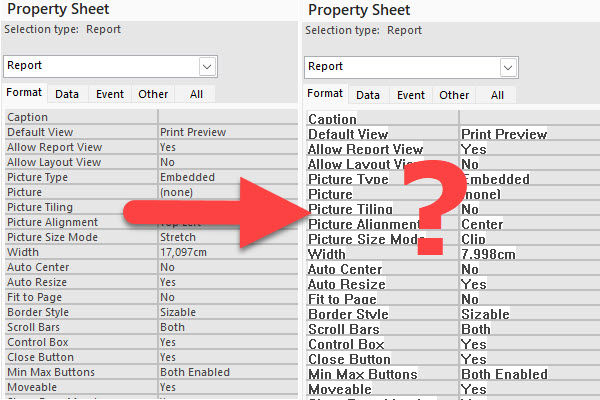
Tiled background images did not fill forms below 100% zoom
Horizontal scrolling did not scale with zoom
Controls could paint or align incorrectly after scrolling a zoomed form
Disabling Zoom could retain a non-default zoom level
A rich-text editor could disappear while zooming
Text boxes left artifacts while scrolling over a tiled background
The Property Sheet icon disappeared after sorting properties
Line breaks were removed from ControlTip text
The Option Group Wizard displayed its values grid on the wrong page*
The Query Design splitter could draw outside the Access window
Access options now accept non-standard font sizes
Font-size boxes could truncate three-digit values
Version 2608
VBA Zoom did not work reliably with popup forms
Zoom set during Form_Open was replaced by the default zoom
Combo boxes could show blank rows or reject selections at some zoom levels
Zooming out a large report could leave display residue
Control borders became too thick below 100% zoom
Drag selection in a zoomed datasheet could use the wrong coordinates
The 25% Zoom keyboard shortcut was difficult to use
Existing applications needed a way to disable built-in Zoom
The screen-reader Zoom announcement was not localized
The date picker appeared for locked or read-only controls
Tab and Shift+Tab could change control stacking order in Design View
Horizontal report lines disappeared in some Version 2608 preview builds
The modern SQL editor could show an incorrect insufficient-memory error
The query No Format setting could disagree with Object Properties
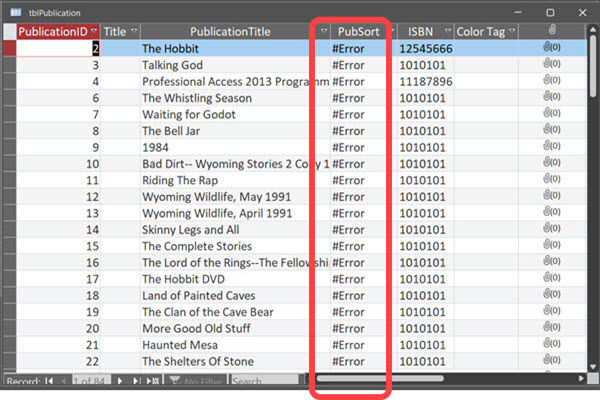
Calculated SharePoint columns displayed #Error in linked tables
Version 2607
Mouse event coordinates were wrong while a button was held on a zoomed form
Tooltips (ControlTipText) did not scale with form zoom
Tooltips stopped appearing for controls near the bottom of a form when zoomed in
Rich-text fields did not resize or scale when zooming in datasheet view
Showing or hiding controls through VBA left display artifacts when zoomed
Only the selected rich-text control scaled on a zoomed form
Checkbox focus indicator did not scale with row height in datasheet view
Keyboard focus left the Zoom out button after reducing zoom
Screen reader did not announce inserting a control in Form Design view
Screen reader did not announce the selected zoom option in the Zoom menu
Copying a large amount of text from a text box copied only part of it
Exporting a report to PDF could show a false "not enough free memory" error
DateTime2 columns showed fractional seconds by default
Version 2606
German keyboard: AltGr key combinations triggered zoom shortcuts instead of typing characters
Zoom was disabled for all ACCDE and MDE files
Default zoom value in Access Options validated per-keystroke
Display issues when extending laptop to a large external monitor
Date selector control showed truncation and ghosting at certain zoom levels
Screen reader did not announce zoom level changes via keyboard shortcuts
Screen reader announced incorrect context for zoom controls
Zoom button on Home tab did not respond to keyboard activation
Added 125% and 175% zoom levels to the ribbon
Tab header font rendered incorrectly when zoomed
Dropdown list detached from its control when form was scrolled
Query with IS NULL predicate could return incorrect data
Linked Table Manager showed a confusing dialog when re-linking tables
Reduced unnecessary repainting during horizontal scroll in Form view
Version 2605
Edge Browser Control didn't render PDFs on some machines
Export to SharePoint failed for tables with both lookup fields and attachment columns
Conditional Formatting color picker showed a reduced palette in Version 2604
Some Unicode characters displayed incorrectly in objects exported to Excel
Power BI Gateway couldn't refresh semantic models from .accdb files
Monaco SQL view: Ctrl+Z didn't undo Ctrl+Shift+K line deletion
Document tab text didn't scale with Windows text-size setting
Error when editing a Long Text field after a write conflict
Access terminated unexpectedly when reading Edge Browser Control properties in form design view
"Copy" prefix was prepended instead of appended to copied object names
Version 2604
Values display in the wrong control when using a form as a sublist
Applications that use the Access Database Engine (ACEOLEDB) terminate unexpectedly on exit
Long Text field corrupted when a query updates a record while a user is editing it
Rendering errors with Aptos (Detail) font
Standard colors in Access didn't match other Office apps
Option Group with Vertical Anchor Bottom: option buttons show incorrect visual state after clicking
Query Design: Insert/Delete Columns don't work when ribbon is set to Show Tabs Only
SQL View: Ctrl+K should toggle pretty formatting off/on
Monaco editor incorrectly converts Unicode characters in SQL view
Importing text files with Unicode characters in the filename fails
Added VarP and StDevP to the Totals query aggregate dropdown
Added VarP and StDevP to the datasheet totals row dropdown
Access hangs at shutdown when VBA holds temporary DAO field references
Full Screen Mode ribbon display option does nothing in Access
Version 2603
Edge Browser Control didn't navigate from code when inside a tab control
Some Unicode characters displayed incorrectly in Quick Import
Modern Chart titles truncated in Print Preview
Some Unicode characters displayed incorrectly in exported object names
Some Unicode characters displayed incorrectly in error messages for long object names
Standard colors in Access didn't match other Office apps
Field.Properties("Precision") and Properties("Scale") on a query column caused the query to execute
Toggle filter button in status bar didn't work when no records were displayed
PDF files with capitalized extension didn't render in Edge Browser Control
Monaco SQL editor inserted blank lines in multi-line comments
Version 2602
Monaco query editor applied unwanted autoformatting to passthrough queries
Monaco query editor font size did not match Access settings
Datasheet selection could extend past the last column
Version 2512
Datasheet forms with nested subforms showing errors after system changes
F4 key did not open the Properties pane in the Query SQL editor
Pressing F5 in the Query SQL editor cleared all SQL text
Text not visible when renaming items in the Navigation Pane in dark themes
Advanced Filter/Sort opened a standalone query window instead of a filter window
Refreshing an Access ODBC connection in Excel returned an error
Version 2511
Query Design view showed incorrect joins after selecting SQL text

good